
Secret Wallet Password Manager1.3 - Get APK
You'll be able to download in few seconds.
Publisher Description
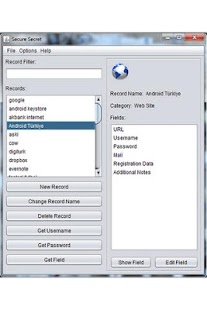
Features: Web browser Integration, Dropbox, Google Docs and Google Drive Backup, PC Application Synchronization(can be synchronized with it using hotspot or Wi-Fi),Record History,SD Card backup etc.
Features Which Make Secret Wallet Unique
- Secret Wallet supports backup, restore and synchronization processes with cloud systems and it is free (Dropbox, Google Docs and Drive cloud backup, restore, synchronization support. It uses oauth2 technology so application will not ask your cloud passwords, and it is completely free)
- Web browser integration (Getting username, password or other secret data is so easy as clicking one button without leaving web browser activity. While surfing the web, again it is so easy to create new records)
- Record History (For a specific date, you can see a record’s data history)
- Free Desktop Synchronization (Using Wi-Fi or hotspot, you can synchronize all your data automatically. Desktop application is also free and can run on Windows, Linux versions and MacOS) To download Desktop Application:
http://aksakallibilisim.com/secure_secret/?page_id=24
- Secret Wallet uses a specific algorithm enriched with AES, it is nearly impossible to decrypt it. It does not encrypt your data directly with your password, and does not use hash. Its algorith is special for Secret Wallet.
Other Features
- SD Card backup, restore and synchronization opportunity.
- After sequential wrong login attempts, application will be locked for 10 minutes.
- If it is setted, it is possible to delete all secret data automatically after sequential wrong login attempts.
- For practical login, boot login support.
- Automatic backup.
- Stylish and smart design.
- Smart column touches (If you touch a phone number, application will dial it or for email it opens your default email application or will copy data to clipboard etc.)
- Records are categorized for easy use. It is possible to edit categories and iconize them with 150+ icons.
- Quick record search.
- Detailed help.
- Auto-password generation.
- Password and backup hints for future remember.
- Supports touch gestures for easy use.
- Supports all character sets in Android.
- Turkish localization. (Others coming soon)
Secret Wallet is a password manager, which helps you to keep all your secret data in your pocket in secure. It is completely free. Secret Wallet supports features free which are paid features in other password applications. Secret Wallet has some features which made Secret Wallet best.
About Secret Wallet Password Manager
The company that develops Secret Wallet Password Manager is Aksakallı Bilişim Ltd.. The latest version released by its developer is 1.3.
To install Secret Wallet Password Manager on your Android device, just click the green Continue To App button above to start the installation process. The app is listed on our website since 2012-11-02 and was downloaded 0 times. We have already checked if the download link is safe, however for your own protection we recommend that you scan the downloaded app with your antivirus. Your antivirus may detect the Secret Wallet Password Manager as malware as malware if the download link to com.aksakalli.bilisim.securesecret is broken.
How to install Secret Wallet Password Manager on your Android device:
- Click on the Continue To App button on our website. This will redirect you to Google Play.
- Once the Secret Wallet Password Manager is shown in the Google Play listing of your Android device, you can start its download and installation. Tap on the Install button located below the search bar and to the right of the app icon.
- A pop-up window with the permissions required by Secret Wallet Password Manager will be shown. Click on Accept to continue the process.
- Secret Wallet Password Manager will be downloaded onto your device, displaying a progress. Once the download completes, the installation will start and you'll get a notification after the installation is finished.
Program Details
System requirements
Download information
Pricing
Version History
version 1.3
posted on 2012-11-02
Several fixes and updates
version 1.3
posted on 2012-11-02
Version 1.3,- Faster application,- Bug-fix for restore processes,- Category screen's list row size corrected.,Version 1.2,- Google Docs and Google Drive Backup Support,Version 1.1,- Desktop Application's ADs has been removed.
Disclaimer
External Download
We do not host Secret Wallet Password Manager on our servers. We did not scan it for viruses, adware, spyware or other type of malware. This app is hosted by Galad and passed their terms and conditions to be listed there. We recommend caution when installing it.
The APK Download link for Secret Wallet Password Manager is provided to you by apps112.com without any warranties, representations or guarantees of any kind, so access it at your own risk.
If you have questions regarding this particular app contact the publisher directly. For questions about the functionalities of apps112.com contact us.
